macOS

A complete guide to cloud storage, cloud services, and handling multiple storage accounts like Dropbox, Google Drive, Amazon, and OneDrive for macOS users.

FTP/SFTP macOS

Connect to FTP Server on macOS

Connecting to a File Transfer Protocol (FTP) server is a great way to access files from a remote server on macOS. While ...
June 3, 2025
macOS WebDAV

Mount WebDAV Server to Finder on macOS

Knowing how to mount WebDAV on macOS is crucial if you want to remotely access your files from different web servers. However, ...
June 3, 2025
FTP/SFTP macOS

Mount SFTP as a Drive on your Mac

Since there’s no native way to mount SFTP on macOS, you need a third-party app to open remote files straight from Finder. ...
June 3, 2025
FAQ macOS

Uninstall CloudMounter for macOS

To uninstall CloudMounter on your Mac, open the Applications folder in Finder, select the app and drag it to Trash. If you receive the alert message saying ...
March 4, 2025
FAQ macOS

Why the drive that I mounted in CloudMounter is case-insensitive?

If you are facing this issue, check whether the server you are connecting to supports case-sensitive file names. If the server supports ...
March 4, 2025
FAQ macOS

What types of drive mouting are used in CloudMounter?

There are 3 types of drive mounting offered by CloudMounter that you can choose from. We recommend using macOS Native Drive. However, if it ...
March 4, 2025
Amazon FAQ macOS

How to Connect to Seagate Lyve Cloud

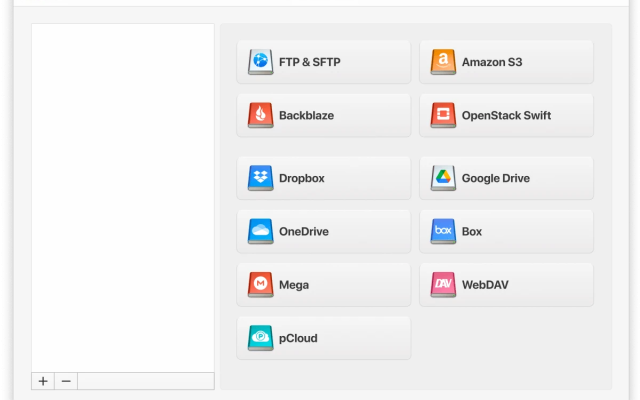
Follow these steps to set up a connection to Seagate Lyve Cloud using CloudMounter: Open CloudMounter and choose "Amazon S3" as the connection type. ...
March 4, 2025
Dropbox Google Drive macOS Windows

Transfer files from Dropbox to Google Drive quickly

Many of us have already registered accounts on various сloud services. However, how can you organize easy management of all files, without ...
February 8, 2025
Dropbox macOS Windows

Multiple Dropbox Accounts on One Computer

Dropbox is a great cloud service that allows users to host all of their favorite files in the cloud, thus saving space ...
December 1, 2025