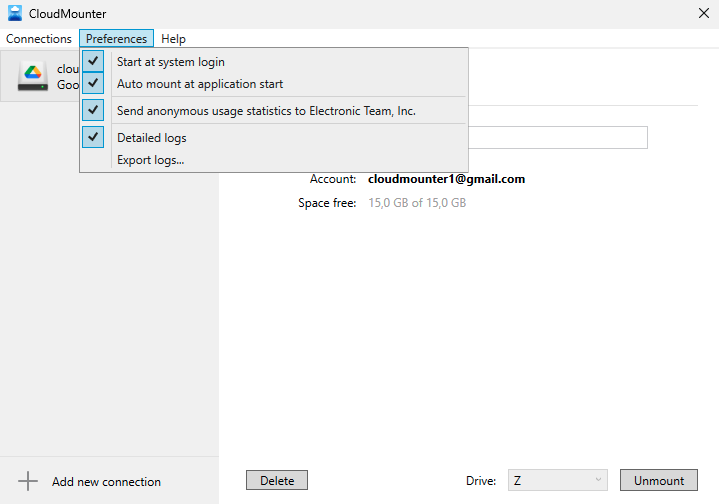
Start at system login – make CloudMounter start automatically when you log into your PC.
Auto mount at application start – automatically mount all your cloud storages when CloudMounter starts. If this option is unchecked, you can mount the required items manually by selecting them in the list and clicking Mount.
Send anonymous usage statistics to Electronic Team, Inc.– help us improve the software by sending usage statistics. No personal information is collected (see our Privacy Policy for details).
Detailed log – when this option is enabled, the saved logs will contain more detailed information that will help to take a closer look at the issue (if any).
Note:
This option is hidden. In order to reveal it, press and hold the Shift key.
Export logs – allows saving logs in a ZIP format.
Connection Settings
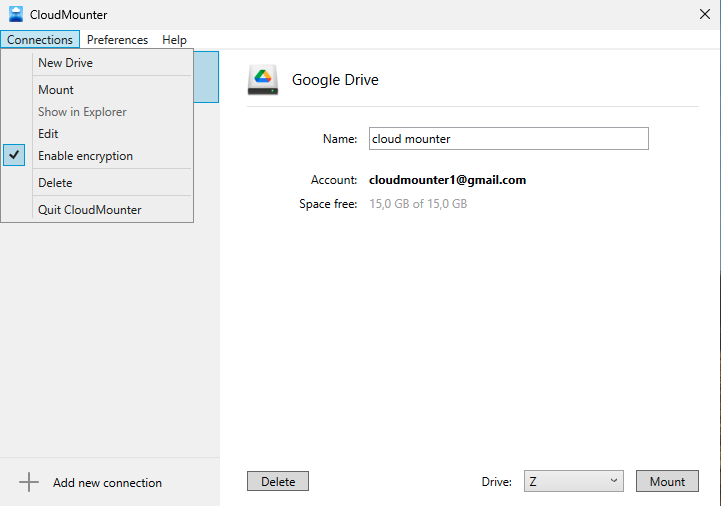
Enable encryption – by default, encryption is always enabled when using CloudMounter. To disable disk encryption support, remove the checkmark. Disabling the encryption option helps speed up work with disks with a large number of files and folders.
Note:
This option is hidden. In order to reveal it, press and hold the Shift key.
 CloudMounter