Cookie
Electronic Team, Inc. uses cookies to personalize your experience on our website. By continuing to use this site, you agree to our cookie policy. Click here to learn more.
CloudMounter for Mac vs FileZilla RemoteDrive

CloudMounter: Better Choice Than RemoteDrive

RemoteDrive does what you'd expect. CloudMounter goes further with more supported cloud services, built-in encryption, and more ways to use the app on your terms.
Download for free (free forever)
Get PRO version (with a 7-day trial)
main splash image
4.8
Also available for Windows
Supported in CloudMounter for Mac
Dropbox
Google Drive
OneDrive
Amazon S3
MEGA
pCloud
Box
Backblaze B2
FTP · SFTP · WebDAV
Full comparison

CloudMounter for Mac vs FileZilla RemoteDrive

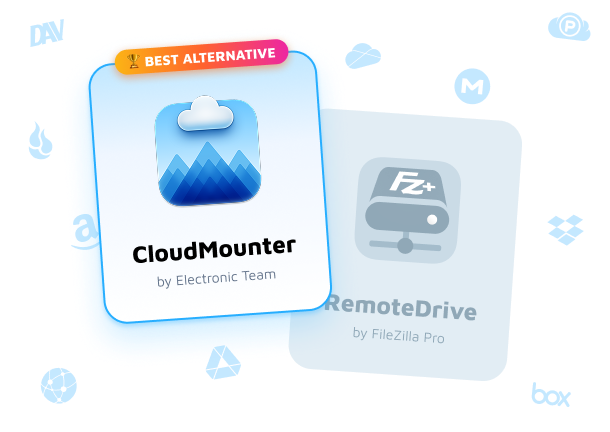
On paper, both apps mount cloud storage on your Mac. Once you start looking at pricing, supported services, encryption, and licensing, the differences become hard to ignore.
Best Alternative
CloudMounterby Electronic Team

Free version available Annual PRO subscription Lifetime PRO license

You choose how you pay and use
RemoteDrive by FileZilla Pro

Subscription only 7-day trial No permanent free version

The choice has already been made for you
Feature
CloudMounter
FileZilla RemoteDrive
Free version Advantage
Permanent free tier
7-day trial only
Direct download (outside App Store) Advantage
Lifetime license Advantage
Support for MEGA Advantage
Support for pCloud Advantage
On-the-fly file encryption Advantage
Paid plan
Yearly subscription or 1-time purchase
Yearly subscription only
Support for Google Drive
Support for Microsoft OneDrive
Support for Dropbox
Support for Amazon S3
Support for FTP / SFTP / FTPS
Support for WebDAV
Support for Backblaze B2
Support for Box
Credentials in macOS Keychain
Native Finder integration
Multiple accounts per service
Apple Silicon + Intel support
Download (free forever)
Get PRO version (with a 7-day trial)
Why CloudMounter wins

What CloudMounter For Mac Does That RemoteDrive Doesn't

It's not just about supported cloud services. These are the everyday advantages that make CloudMounter a better long-term choice.
Free version that actually stays free

RemoteDrive gives you a 7-day trial. CloudMounter includes a permanent free version with full access to one Google Drive, Dropbox, or OneDrive account. Upgrade to PRO only when you need more.

Client-side encryption

RemoteDrive helps you access your cloud. CloudMounter goes a step further with optional client-side encryption, giving you an extra layer of protection for sensitive files.

Native support for MEGA and pCloud

If your files live in MEGA or pCloud, RemoteDrive isn't an option. CloudMounter supports both natively, alongside Google Drive, Dropbox, OneDrive, Amazon S3, Box, and more.

Direct download - no App Store required

While RemoteDrive is tied to the App Store, CloudMounter can also be downloaded directly from our website. Handy on work Macs where the App Store is blocked.

Lifetime license - pay once, own forever

With RemoteDrive, subscribing isn't really a choice - it's the only option. CloudMounter offers you a Lifetime PRO license that never expires.
Getting started

3 Simple Steps to Mount Your Cloud

CloudMounter gets out of your way fast - from download to working drive in under two minutes.
1

Download & Install

Download CloudMounter from the Mac App Store or directly from our website. No restart needed.
install CloudMounter
2

Connect Your Cloud

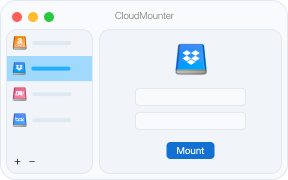
Open CloudMounter, click the icon of the service you want to mount, and complete the authorization process.
connect CloudMounter
3

Open in Finder

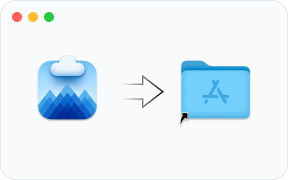
Your cloud appears as a regular drive in Finder. Open, edit, copy files exactly like local ones — no syncing.
open CloudMounter
Download (free forever)
Get PRO version (with a 7-day trial)
CloudMounter features

Everything You Need. Nothing You Don't.

One app that brings every cloud account into Finder and keeps your workflow exactly where it belongs.
multi cloud icon
Multi-storage in one place

Connect Dropbox, Google Drive, OneDrive, Amazon S3, and many other S3 compatible services, MEGA, pCloud, Box, Backblaze, FTP, SFTP, and WebDAV - all visible in Finder as regular drives.

finder icon
Deep Finder integration

No new interface to learn. CloudMounter integrates with Finder, letting you manage remote storage the same way you manage local files.

free version icon
Work offline

No connection doesn't have to mean no access. Previously cached files remain available offline, and all changes are synced to the cloud once reconnected to the Internet.

local storage icon
Keep your Mac storage free

Access your cloud files whenever you need them without syncing entire folders to your Mac. Only the data needed for your current work is used locally.

encryption icon
Security beyond passwords

Use OpenSSH or PPK keys, authenticate with FIDO/FIDO2 security keys like YubiKey, OnlyKey, Titan Security Key, FEITIAN ePass, etc., and add two-factor authentication for an extra layer of protection when accessing SFTP servers.

unlimited accounts icon
Unlimited accounts

One Dropbox account quickly turns into three. Then come Google Drive, OneDrive, S3, WebDAV, etc. CloudMounter was designed for that reality and allows you to connect as many accounts as you need.
Download (free forever)
Get PRO version (with a 7-day trial)
What users say

Rated 4.8 on the Mac App Store

Common questions

Frequently Asked Questions

The free version of CloudMounter for Mac lets you mount one Google Drive, Dropbox, and OneDrive account with full access at no cost. Additional accounts and other supported cloud services are available in read-only mode until you upgrade to PRO.
Your login credentials are securely stored in the macOS Keychain. For supported services, CloudMounter uses OAuth authentication.
On-the-fly encryption encrypts your files before they're uploaded to supported cloud storage. Encrypted files remain protected in the cloud and can only be decrypted with your encryption password.
Yes. CloudMounter includes native support for both MEGA and pCloud - something not every cloud manager offers.
Yes. CloudMounter is available both on the Mac App Store and as a standalone download from our website.
Yes. Besides the yearly subscription, CloudMounter is also available with a Lifetime license, so you can choose the option that works best for you.
Get started today
Your clouds belong in Finder.
More cloud services, built-in encryption, and a free version that never expires. CloudMounter - the clear choice for Mac. Requires 97.4MB of free space, Version 4.18(2513). Released 18 Jun, 2026.
Download (free forever)
Get PRO version (with a 7-day trial)